






Desktop AI companion · for Mac

Your semester, remembered.

Clankmaxx lives on your desktop and remembers your classes, deadlines, projects, and conversations — so every chat picks up where you left off, instead of starting over with a stranger.

macOS 14 or later · Apple Silicon or Intel · Secure checkout on Stripe

Already have a license key? Download the app

what's on my plate today?

9:41 AM

Two things actually due: the HIST 201 essay closes tomorrow at 11:59 PM, and the bio problem set is due Friday. Study group at 3, library second floor. Also — you said you'd get back to the robotics poster. That was four days ago.

9:41 AM

fair. remind me to work on the poster at 7

9:42 AM
Add reminder: Robotics poster time
Due today, 7:00 PM — nothing happens until you say so
Confirm Reject

Done. I'll nudge you at 7 — and since you mentioned the printer incident, yes, I remember you actually started it this time.

9:42 AM
Your clanker, a pixel-art axolotl, walking in place beside the message field Say something…
How it works

Ask once. Your clanker keeps up.

This is the actual chat window — your clanker is the pixel axolotl docked beside the composer. It's doing the four things that make it different: pulling your day together, remembering what you said, acting only with your yes, and following a thread you started days ago.

  1. 1
    Ask about your day in plain words
    No dashboard to configure, no prompt to craft. You just ask.
  2. 2
    Your clanker pulls the thread together
    Canvas deadlines, today's calendar, and things you mentioned earlier — in one answer.
  3. 3
    Actions wait for your yes
    Reminders, calendar events, settings changes — proposed in chat, executed only when you confirm.
  4. 4
    Follow-ups just work
    Tomorrow, next week, mid-May — you never re-explain the background.

and what did the prof say about the final? I already forgot

2:17 PM

From Tuesday's lecture: the final is cumulative, but chapters 8–11 are “guaranteed to be heavily represented.” Her words, not mine. Your notes from that lecture are saved — want the chapter list?

2:17 PM

yeah. and put the essay on my calendar tomorrow morning

2:17 PM
Add calendar event: HIST 201 essay — final pass
Tomorrow, 9:00 – 11:00 AM
Confirm Reject
Notes from Zoom lecture (38 min)
HIST 201 · recorded by you on Tuesday
  • 00:00Schedule questions — office hours move to Thursday
  • 06:12What’s on the final: cumulative, chapters 8–11 emphasized
  • 18:40Reconstruction, part 2 — the three readings to compare
  • 33:05Essay rubric: what “uses primary sources” actually means
Say something…
Memory

The chatbot reset button, retired.

Every general-purpose chatbot meets you as a blank slate. Your clanker is the opposite: it keeps what matters — your classes, your goals, the project you paused, how you like to work — and brings it back when it's useful.

  • Conversations continue Pick up Tuesday's question on Friday without re-telling your whole semester. One ongoing thread, not a pile of fresh tabs.
  • Context shows up on its own The exam next week, the class you're dreading, the side project you abandoned mid-sentence — surfaced when relevant, not recited constantly.
  • You can see all of it The Memory screen lists everything your clanker keeps. Correct anything it got wrong, delete one note or everything, export it all as plain text.
  • Helpful, not omniscient Your clanker keeps what's worth keeping and says when it doesn't know. Memory you can inspect beats recall you have to trust.

What your clanker remembers — your view, anytime

Academics

HIST 201 with Prof. Alvarez — finds the readings dense; essay rubric matters more than length.

CorrectForget
Projects

Robotics club poster — paused four days ago at the layout stage; printer ran out of ink mid-run.

CorrectForget
How you work

Prefers straightforward explanations; studies best in 40-minute blocks; don't schedule anything before 9 AM.

CorrectForget
College life

Built for the actual week you're having.

Not a feature grid — one student, one week, six moments where a companion that remembers earns its spot on the desktop.

Mon · 8:42 AM

Before class: the week, triaged

One question — “what's due this week” — and Canvas, your calendar, and your reminders line up into an answer. Red due-dates stop being a surprise genre.

From your Canvas sync
  • Tue 11:59 PMHIST 201 — essay final draft
  • Fri 5:00 PMBIO 110 — problem set 6
  • Fri 11:59 PMCS 240 — project milestone 2
Tue · 2:00 PM

During the lecture: notes, taken

Record the Zoom call or the YouTube lecture — with your tap, and a visible indicator the whole time — and get chaptered notes with decisions, action items, and timestamps you can jump back to.

Notes from Zoom lecture
  • 06:12Final exam scope announced
  • 18:40Three readings to compare in the essay
  • 33:05Rubric: what “primary sources” means
Wed · 4:15 PM

While studying: explanations with context

Ask about the thing on your screen — one explicit look, only when you request it — and get it explained at your level, building on what your clanker already knows you've grasped.

“You flagged Bayes' theorem as a sticking point two weeks ago — same idea here, just with priors doing more work. Want the 30-second version or the real one?”
Thu · 11:38 PM

During focus time: a nudge, not a nag

Optional check-ins notice when a “quick break” turns into ninety minutes — then actually listen to your answer. Say it's intentional and it drops the subject.

“You've been on YouTube for about 90 minutes. Intentional downtime, or should I be annoying?”
Fri · 1:05 PM

Later in the week: where you left off

Coming back to a project after four days away usually means reconstructing your own brain. Your clanker kept the bookmark.

“Last time on the poster: layout done, you were picking fonts, and the printer betrayed you. The file's still the newest thing in Downloads.”
Sun · 1:12 AM

Late at night: untangle, don't perform

No perfectly-written prompt required. Dump everything — the exam, the email you owe your group, the thing you can't stop thinking about — and sort it out together.

“ok so. the exam, the group email, and i cannot figure out the bio lab intro”
“One at a time. The lab intro's due first — what part is stuck: the hypothesis or the methods?”
Screen understanding

It looks only when you ask.

Your clanker is not watching you. Screen understanding is a single action you trigger — press ⌘⇧L or ask in chat — and it ends the moment the answer arrives.

  • One screenshot, one time. A fresh capture of the active window, taken when you ask. Never periodic, never in the background.
  • Never saved. The image lives in memory just long enough to answer your question. It is never written to disk.
  • You see exactly what happened. Every capture leaves a visible note in the chat naming the window that was captured.
  • Some windows are never captured. Password managers and anything on your excluded-apps list are off-limits by default. macOS itself asks your permission first.

what does this error mean?

3:02 PM
Captured window “stat_hw4.r — RStudio” — this once, because you asked

That error means R can't find the column score — your CSV has it as Score with a capital S. Rename it in the import or change line 14. Since your problem set asks for a z-score either way, you'll want the numeric version, not the letter grade column.

3:02 PM
Say something…
Lecture & meeting notes

Clank the lecture. Keep the notes.

The recorded lecture that's been sitting in a tab for four days. The Zoom review session you can't rewatch at 1×. Point your clanker at the window, press record, get notes you'd actually study from.

  • Works with Zoom calls and YouTube videos — the meeting window or the browser tab, your choice when you press record.
  • You start it, you stop it. Recording never begins without your tap on a consent prompt, a red indicator runs the whole time, and the app reminds you that recording calls may require notifying participants.
  • Chapters, decisions, action items — with timestamps, so you can jump back to the exact moment the professor said the important thing exactly once.
  • It remembers them too. Notes are saved on your Mac, and the durable facts — like what's on the final — become part of what your clanker can bring up later.
Notes from Zoom lecture (38 min)
HIST 201 · The New South & Reconstruction
  • 00:00Housekeeping — office hours move to Thursday; essay draft due Tuesday 11:59 PM
  • 06:12Final exam scope — cumulative; chapters 8–11 “heavily represented”
  • 18:40Main argument — the three readings to compare, and where historians disagree
  • 33:05Action items — pick two primary sources before Friday's section
Personality

Same clanker. Your choice of attitude.

Personality changes how your clanker talks — never what it can do, and never what it remembers. Switch in Settings or just ask mid-chat.

Default

Classic

The original Clankmaxx — warm, concise, no bit.

“You have a deadline tomorrow — want to plan it out?”

Deadpan Roommate

Someone nearby who has witnessed this exact disaster before.

“unfortunate. now expectations exist”

Academically Doomed Creature

A tiny companion surviving college alongside you.

“wait all three tonight”

Quietly Judgmental Animal

A creature that noticed exactly what happened.

“that appears to be a different textbook”

Supportive (Allergic to Sincerity)

Cares too much to be casual, and is trying anyway.

“obviously. disgusting question. next”

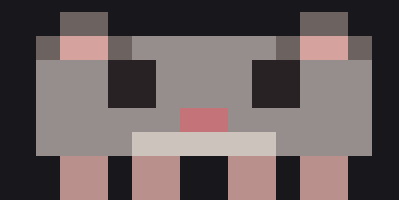
The mouse desktop form, drawn in chunky pixel art The axolotl desktop form in golden pixel art

Meet your clanker

A pixel pet that lives on your screen: it walks around, hops when messages land, sleeps when you do, and takes pets. Mouse or axolotl, several color schemes.

Underneath the bit, it's the same assistant: same memory, same integrations, same notes. The axolotl is the brand — on your desktop, your clanker is whichever creature you pick.

Meme mode

The reply stays dry. The reaction doesn't.

Opt in, and after an exchange lands, a separate small model reads the moment — the chat model never picks its own meme — and occasionally answers with a reaction from the library. The reply always comes first; the meme is the encore.

  • Off by default, always your call. Turn meme mode on in Settings; turn it off the same way. Nothing about chat changes either way.
  • A separate judge, not the chat model. After your clanker answers, a smaller model reads the exchange and decides whether a reaction lands — most moments get a “none.”
  • A starter set in the box, your files on top. Original pixel reactions ship with the app. Drop your own GIFs or images into the meme folder and they join the rotation — same filename beats ours.
  • Brief, and never at the wrong time. The meme takes your clanker's spot for a few seconds, then it's gone — never during serious moments, and a cooldown keeps it a treat, not a tic.
A man moved to tears reading a glowing sheet of paper, captioned 'this is peak'
celebrating
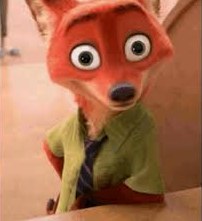
A wide-eyed cartoon fox, startled
shocked
A smug-looking apple with arms, legs and boots, captioned 'me fr:'
smug
+ your own
GIFs & images

I GOT AN A ON THE STATS MIDTERM

4:47 PM

an A. noted. the Bayes incident is officially behind you.

4:47 PM

did you just react with a meme

4:48 PM

i have made no statement

4:48 PM
Reaction meme from the library: a man moved to tears over a glowing sheet of paper, captioned 'this is peak' Say something…

Demo persona: Quietly Judgmental Animal. The denial is the persona; the reaction meme is meme mode.

Privacy

What's on your Mac stays on your Mac. When something leaves, you'll know why.

Clankmaxx answers through cloud AI models — we won't pretend otherwise. Here's the honest split, the same one the app shows you itself.

Stored only on your Mac

  • Memories, chat history, and notes — plain files in your own library folder. View, correct, export, or delete them anytime.
  • Activity awareness — which app is frontmost, used for check-ins. Kept 14 days on-device, deletable in one click, never uploaded.
  • Rules, settings, and sync state — plus your Canvas token and license key, which live in the macOS Keychain.

Leaves only to do its job

  • When you chat: your message and the context needed to answer it, sent to the AI model through Clankmaxx's managed cloud.
  • When you say “look”: one screenshot, that one time. Never stored, never periodic.
  • While you record notes: the lecture's audio, processed into notes — never saved as a recording.
  • If you turn on sync (off by default): your own state, between your own Macs — up to 2 per license.
Master pause switch Excluded-apps list View & correct memories Delete anything, or everything Export as plain text

Read the full privacy policy →

Pricing

One plan. Ten dollars. Done.

Everything Clankmaxx does, for less than one campus-burrito a month.

Clankmaxx
$10/month
  • Full chat with long-term memory — the whole point
  • Canvas, Calendar & Reminders sync
  • Lecture & meeting notes (Zoom + YouTube)
  • Screen understanding, on your request
  • All five personas, your desktop clanker, and meme mode
  • Use on up to 2 Macs, with automatic updates
Get Clankmaxx · $10/mo

Secure checkout on Stripe

Already subscribed? Download the app

Renews monthly until canceled. Cancel from your Stripe customer portal (linked in your receipt) — access stays active through the end of the paid month.

Fair-use limits keep the service fast for everyone: a monthly usage allowance and up to 6 hours of lecture-notes audio per day. Requires macOS 14 or later.

FAQ

Fair questions.

What is Clankmaxx, exactly?

A desktop AI companion for Mac. It chats like a good friend with a frighteningly good memory: it syncs your Canvas deadlines, calendar, and reminders, takes notes from lectures and meetings, can look at your screen when you explicitly ask, and nudges you (gently) when your study break becomes a lifestyle. The pixel companion living on your desktop is your clanker — and putting it to work on something is clanking.

Is it only for students?

It's built for college life — Canvas, lectures, deadlines, the works. Anyone whose life happens on a Mac and who wants an AI that remembers them will get along with it, but students are who we had in mind.

Which Macs does it support?

Any Mac running macOS 14 (Sonoma) or later, Apple Silicon or Intel. Your subscription covers up to 2 Macs, and the app updates itself automatically.

Does it constantly watch my screen?

No. Screen understanding is one screenshot, taken only when you explicitly ask — with ⌘⇧L or by asking in chat. It's never periodic, never saved to disk, and it always leaves a visible note in the chat saying what was captured. Password managers and your excluded apps are never captured at all.

Separately, the optional accountability feature notices which app is frontmost (the same thing your Mac already tracks for Screen Time) to offer gentle check-ins. That log stays on your Mac, keeps 14 days, and is deletable in one click.

What does my clanker remember?

The things that make help helpful: your courses and deadlines, goals, projects in progress, corrections you've made, preferences like how you like things explained, and the ongoing thread of your conversations. Deliberately not everything — and you can see the entire list in the app's Memory screen.

Can I view or delete memories?

Yes — all of them. The Memory screen lists everything your clanker keeps. You can correct a note (your version wins), forget a single item, delete everything, or export the lot as plain text. You can also just ask your clanker to forget something specific — destructive asks always require your confirmation.

What happens to my data?

Your memories, chats, and notes are stored as plain files on your Mac. When you chat, your message and the context needed to answer travel to the AI model through Clankmaxx's managed cloud — that's how the answers happen. Screenshots only ever travel when you explicitly ask your clanker to look. The privacy policy lays out the full split in plain language.

Does it connect to Canvas?

Yes — read-only. You generate an access token in your own Canvas account and paste it into Settings; it's stored in the macOS Keychain. Clankmaxx syncs your current courses, assignments with due dates, and grades, and gives you a heads-up before unsubmitted deadlines. It never writes anything to Canvas. Calendar and Reminders sync work the same way, with writes only ever happening after you confirm them.

Can it really take lecture notes?

Yes — for Zoom calls and YouTube videos. You pick the window, tap record, and a consent prompt confirms before anything starts; a red indicator runs while it records. When you stop, you get chaptered notes with topics, decisions, action items, and timestamps. There's a daily notes-audio allowance (6 hours) per subscription. Recording calls may require telling other participants — that's on you, and the app says so.

Can I change its personality?

Anytime. Five personas ship with the app — from Classic to Deadpan Roommate to Academically Doomed Creature — and switching changes only the voice, never the capabilities or the memory. You can pick in Settings or just say “be the deadpan roommate” mid-conversation.

What's included in the $10 plan?

Everything, one tier: chat with long-term memory, Canvas/Calendar/Reminders sync, lecture and meeting notes, screen understanding on request, all personas, your desktop clanker, meme mode, use on up to 2 Macs, and automatic updates. Fair-use limits apply (a monthly usage allowance and 6 hours of notes audio per day).

How do billing and cancellation work?

Checkout is handled by Stripe. After paying you'll get a license key — paste it into the app's Setup Assistant and you're in. The subscription renews monthly; cancel from your Stripe customer portal (linked in your receipt) and access continues through the end of the paid month. Details live on the refunds & cancellation page.

Your clanker, walking

Stop re-introducing yourself to your AI.

Your whole life is already on this laptop. Get the companion that remembers enough of it to actually help.

Get Clankmaxx · $10/mo

macOS 14 or later · Secure checkout on Stripe

Already have a license key? Download the app